
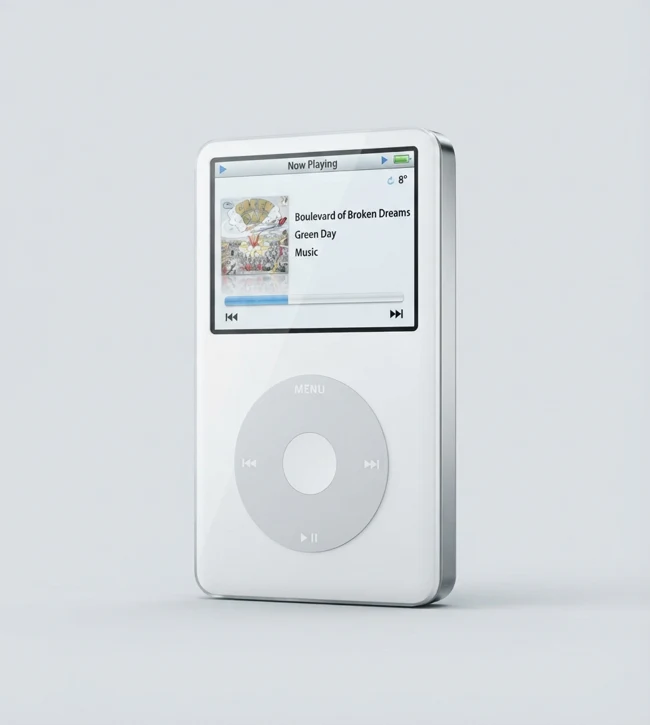
At a glance
- Introduction
- October 2005; this profile covers the original 30 GB and 60 GB configurations.
- Display and media
- 2.5-inch color display; plays music, photos, and video.
- Connection
- 30-pin Dock connector; Apple specifies USB for syncing.
- Audio formats
- AAC (16–320 Kbps, including Protected AAC from the iTunes Music Store), MP3 (16–320 Kbps), MP3 VBR, Audible formats 2–4, Apple Lossless, AIFF, and WAV.
- Video formats
- H.264 Baseline profile (Level 1.3 max; up to 768 Kbps; 320 × 240; 30 fps) or MPEG-4 Simple profile (up to 2.5 Mbps; 480 × 480; 30 fps), in .m4v, .mp4, or .mov with AAC-LC audio (up to 160 Kbps; 48 kHz stereo). A matching extension alone does not guarantee playback.
- Original capacities
- 30 GB or 60 GB.
- Late 2006 revision
- Apple lists a separate Late 2006 revision at 30 GB or 80 GB and describes a brighter display. Because 30 GB appears in both versions, capacity alone does not establish the release year.
It might be your kind of thing
- People who want a physical scroll wheel, a color screen, and early portable video playback.
- Collectors who want more storage than the iPod mini and are comfortable with a legacy syncing workflow.
Living with it today
- This profile describes the October 2005 release, not the separate Late 2006 30 GB / 80 GB revision; capacity alone cannot identify a 30 GB unit.
- Video files must meet Apple's supported encoding limits; a .mp4 extension alone does not guarantee that a file will play.
- The condition of the hard drive and built-in battery varies by device; appearance and stated capacity do not prove that either is healthy.
Before you bring it home
- Ask the seller to show the capacity, About screen, and device in operation. For a 30 GB unit, ask for release-specific evidence you can verify; treat the version as unverified if it remains unclear.
- Check the 30-pin connector and USB cable, display, wheel, buttons, headphone output, charging, and recognition. If syncing matters, ask which OS and software the seller used and request a demonstration with your intended setup; a successful sync elsewhere does not establish current compatibility.
- Before connecting, avoid restore or sync actions that could replace existing content.
Sources
- Identify your iPod model — Apple Support
- Fifth Generation iPod (iPod with video) 30 GB, 60 GB — Technical Specifications — Apple Support
- Apple Unveils the New iPod — Apple Newsroom (2005)
- Apple Introduces the New iPod — Apple Newsroom (2006)
This profile is based on published sources, not hands-on testing. Original specifications do not establish the battery or storage health of a used device.